Understanding the "Unencrypted Communication" Warning
What is the "Unencrypted Communication" Warning?
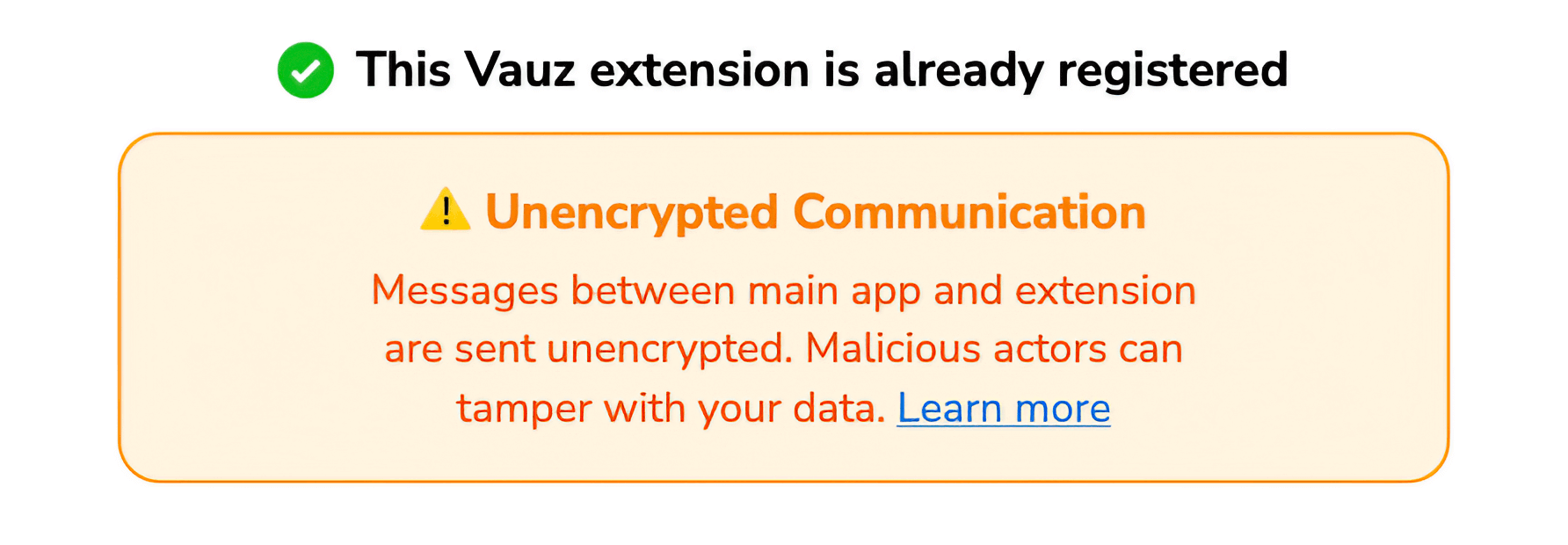
The "Unencrypted Communication" warning appears in the Vauz Autofill extension when the browser extension and main Vauz application are communicating without proper encryption. This warning indicates a security vulnerability where messages between the extension and desktop app are sent in plaintext instead of being encrypted
Why Does This Warning Appear?
Normal Communication Flow
Under normal circumstances, the Vauz extension uses end-to-end encryption:
During initial setup, both the extension and desktop app exchange public keys
When sending data, the extension:
- Generates a random key for each message
- Encrypts the message content
- Encrypts the key with the app's public key
- Sends both the encrypted message and encrypted key
Only the desktop app can decrypt the key and subsequently decrypt the message
When Encryption Fails
The warning appears when the extension cannot access the desktop app's public key for encryption. This can happen in several scenarios:
Scenario 1: Incomplete Registration
The extension received registration confirmation from the desktop app, but the desktop app failed to send its public key during registration. The extension is "registered" but cannot encrypt messages
Scenario 2: Key Storage Corruption
The desktop app's public key was stored during registration, but the key was subsequently lost or corrupted in browser storage. This is common after extension updates or browser data clearing
Scenario 3: Encryption Function Failure
The desktop app's public key exists, but the encryption process fails due to:
- Malicious cyber-attack
- Browser compatibility issues
- Cryptographic operation errors
Security Implications
What Happens When Unencrypted
When the warning appears:
- Messages are sent in plaintext between extension and desktop app
- No confidentiality: Anyone monitoring your system's inter-process communication could read your data
- No integrity protection: Messages could be modified in transit
- Confirmation requests still work but are vulnerable to interception
What Data is at Risk
- Domain names you're requesting passwords for
- Credential request metadata (timestamps, message IDs)
- Challenge-response authentication data
- Extension identifiers and session information
Actual passwords are only sent after successful authentication and are still protected by the challenge-response mechanism
How to Fix the Warning
Solution 1: Re-register the Extension (Recommended)
The most reliable fix is to reset and re-register the extension:
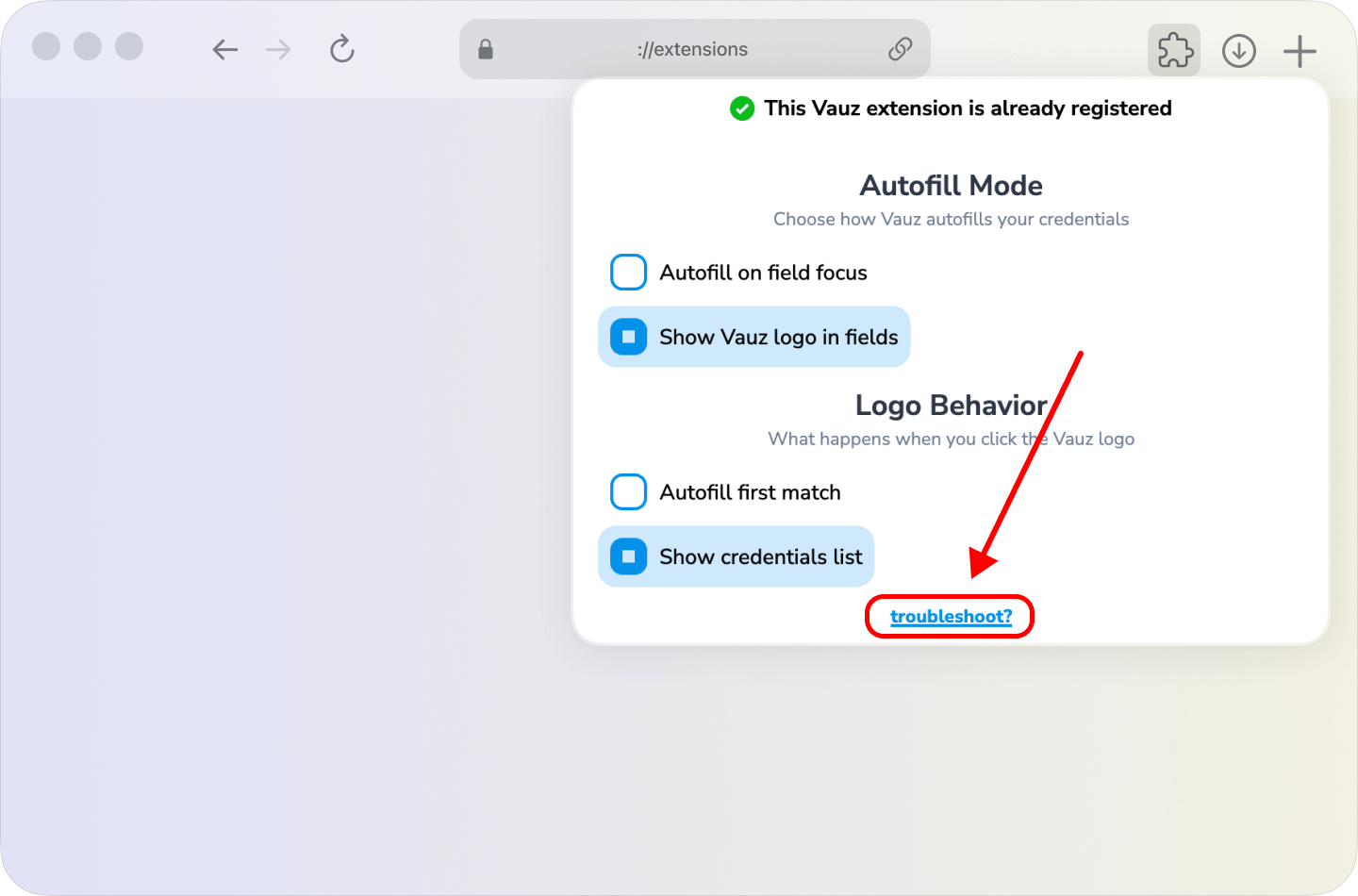
Open the extension popup by clicking the Vauz icon in your browser toolbar
Click troubleshoot? at the bottom of the popup
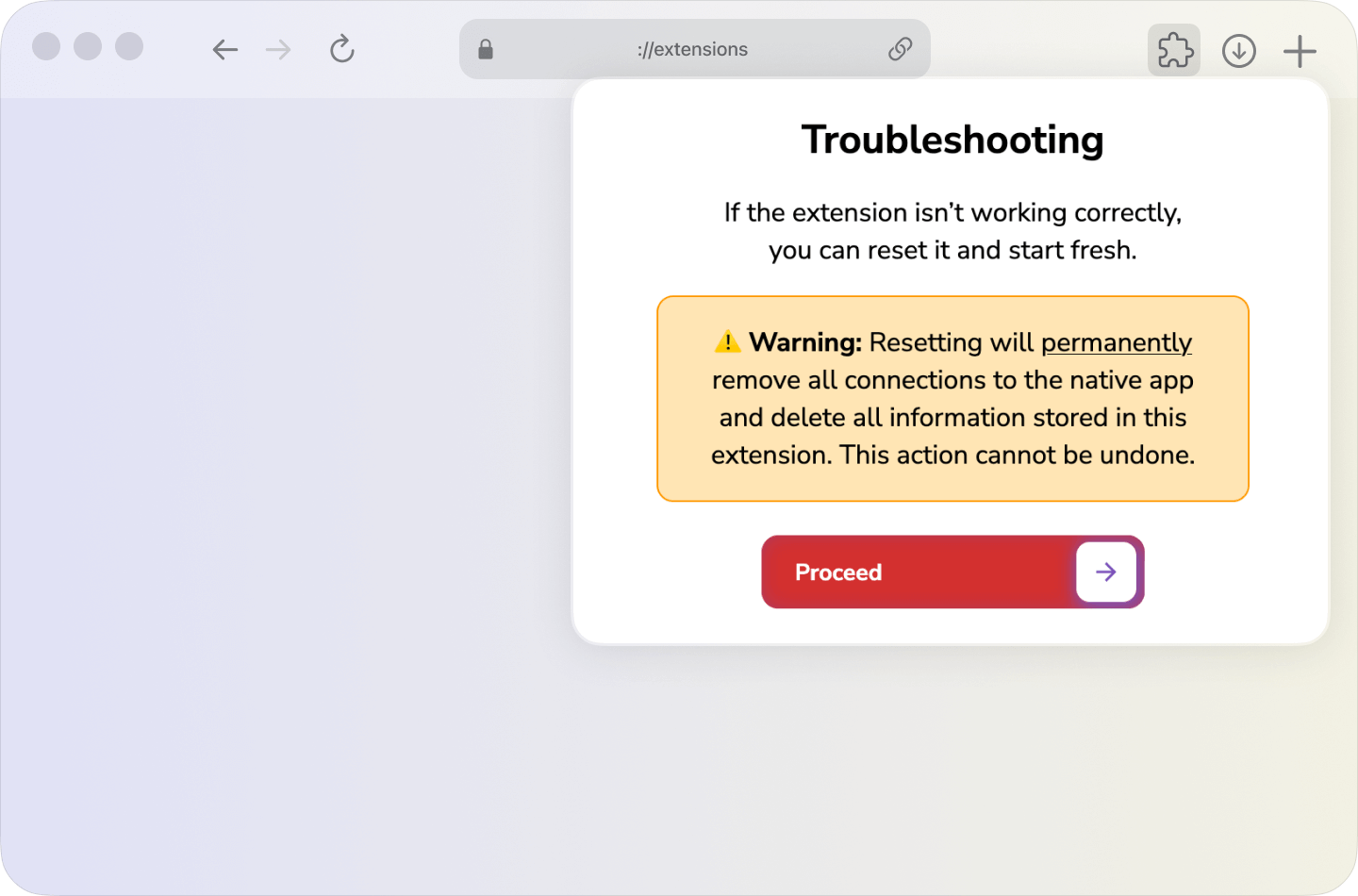
Click Proceed to reset the extension
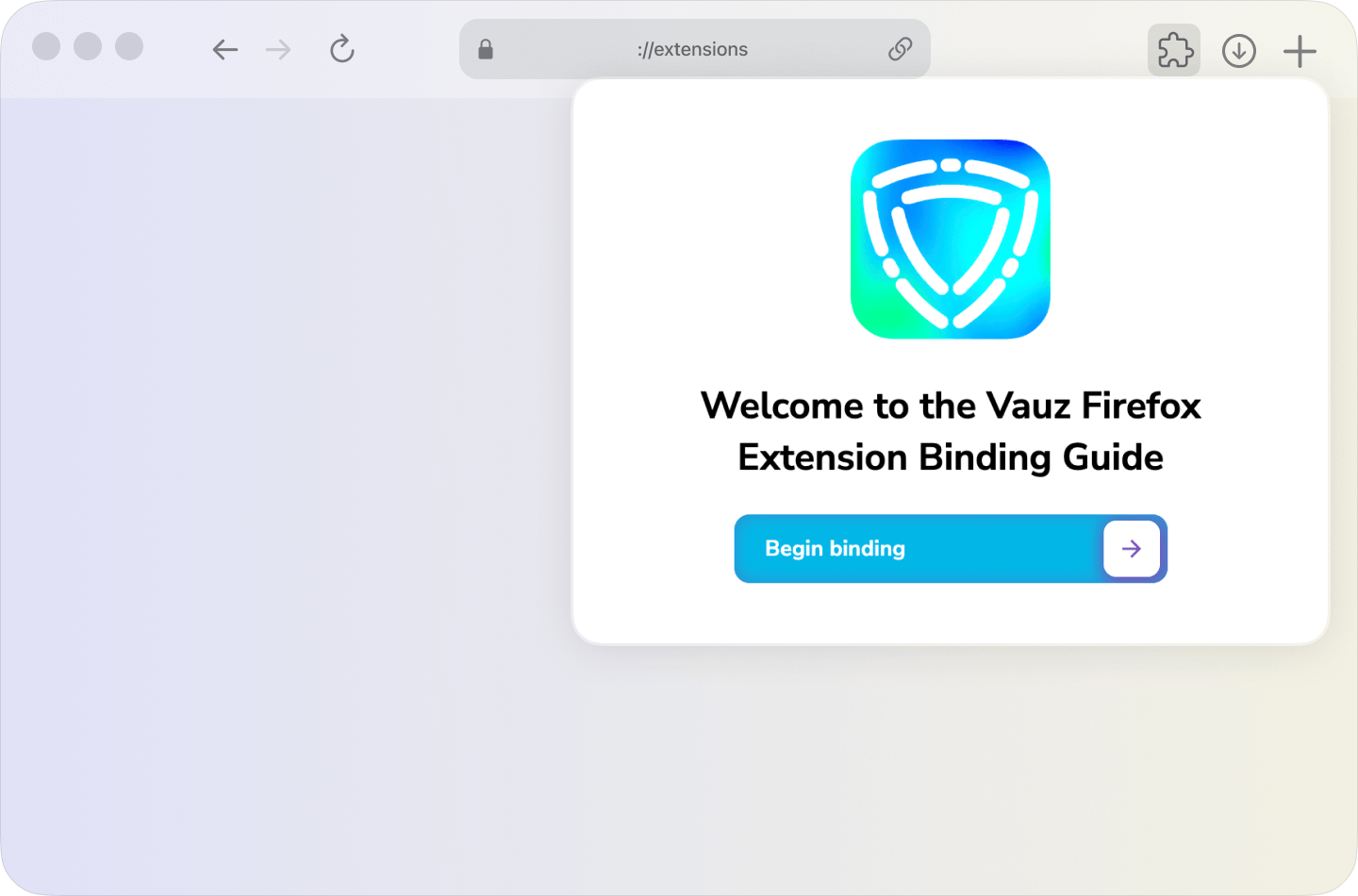
Follow the registration process again:
- Click
Begin binding - Approve the connection in the desktop app popup
- Wait for successful registration
Solution 2: Restart Applications
Sometimes the issue resolves with a simple restart:
Close your browser completely
Close the Vauz desktop application
Restart the Vauz desktop application
Reopen your browser
Check if the warning is gone
Advanced Troubleshooting
Extension Logs
Check for encryption errors in logs:
Open Browser Developer Tools
Go to the Console tab
Look for messages containing: Failed to encrypt ... for app
For the Vauz Autofill Extension background logs follow these steps:
Prevention
Best Practices
- Don't ignore the warning: Using the extension while unencrypted compromises security
- Complete registration fully: Ensure you see the success notification and "Thank You" page
- Keep apps updated: Use the latest versions of both Vauz Autofill extension and Vauz desktop app
- Avoid clearing browser data: Be careful when clearing browser storage or cookies
When to Contact Support
- The warning persists after multiple reset attempts
- Registration consistently fails to exchange keys
- You see repeated encryption function errors in logs
- The desktop app never shows the approval popup
Technical Details
Encryption Implementation
The extension uses a hybrid cryptosystem:
- RSA-OAEP (2048-bit) for key exchange and AES key encryption
- AES-GCM (256-bit) for message encryption with authentication
- PSS padding for RSA signatures (RSASSA-PSS)
- PKCS#1 v1.5 as fallback for older browsers
Key Storage
- Extension keys stored in browser local storage
- Desktop app keys stored in secure app storage
- Keys persist across browser sessions
- Keys are lost when extension is reset or reinstalled