Understanding the "This File Is Not a Complete Backup" Warning
What is this warning?
After an export finishes, Vauz tells you how many entries were written. If some of your saved entries could not be included, it also shows:
1 entry was left out because it could not be decrypted. This file is not a complete backup
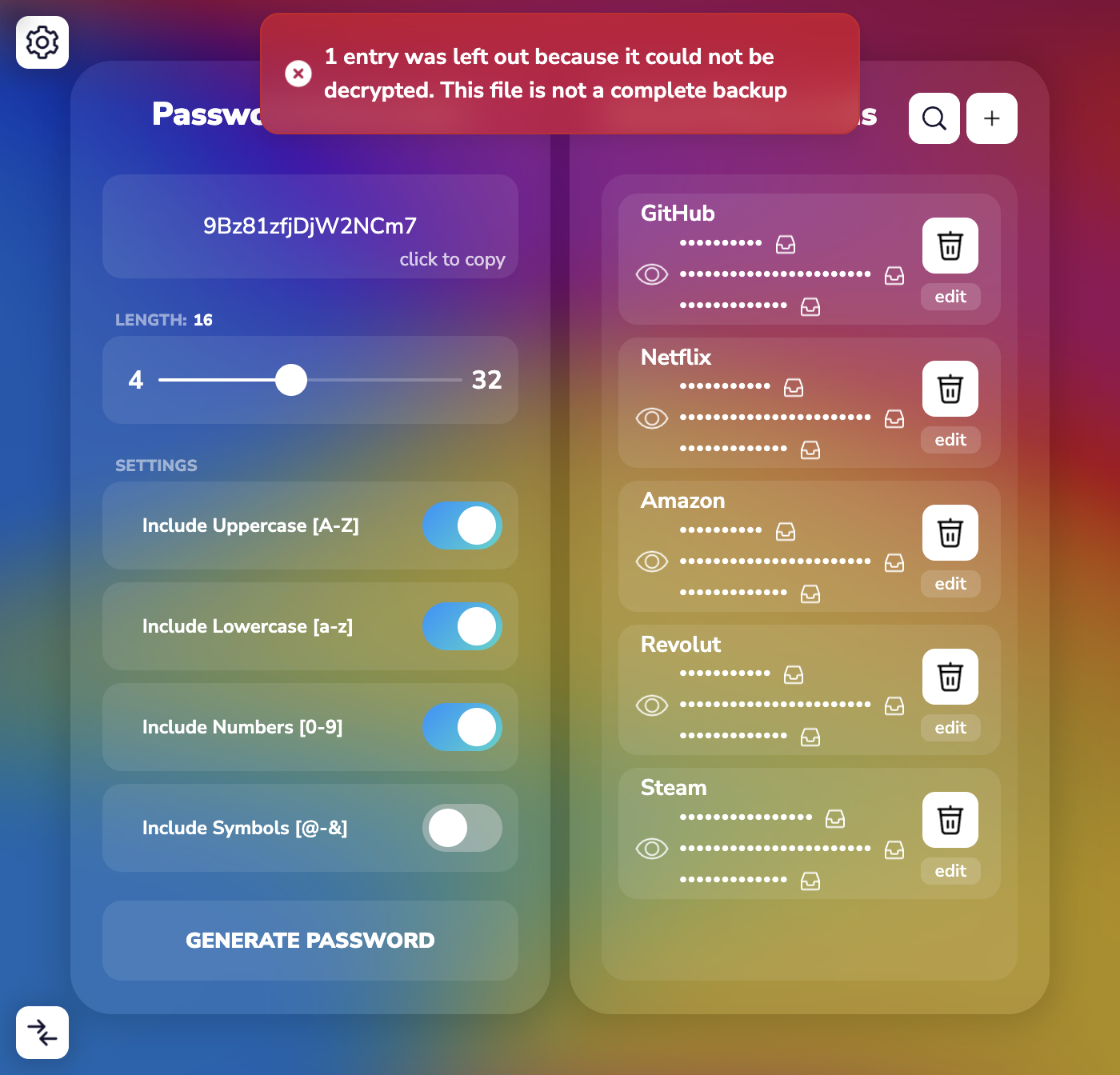
The export itself succeeded, and it is reported separately as 5 password entries exported to 1 file. The warning is there to make sure you never mistake a partial export for a full one
Treat this file as an incomplete copy of your vault. Do not use it to replace a backup you already trust
Why does this happen?
Vauz can only export an entry it is able to read. If your vault contains entries that Vauz cannot confirm are intact, those entries are skipped, and this warning appears
That is the same underlying situation described in Understanding the "Could Not Be Decrypted" Message. The warning during export is simply where you notice the consequence: a backup that is quietly missing entries is far more dangerous than one that tells you it is incomplete
What to do
Step 1: Keep your previous backup
If you already had an export from before this started, that file may contain the entries the new one is missing. Do not overwrite it, move it, or delete it
Step 2: Save this export under a clear name
Keep it, but rename it so you cannot confuse it later, for example vauz-passwords-partial-2026-07-29. It still contains everything Vauz could read
Step 3: Note the numbers
Compare the number of exported entries with the count shown in the Import / Export panel. The panel also shows how many entries are unreadable
Step 4: Resolve the unreadable entries
Follow Understanding the "Could Not Be Decrypted" Message. Updating Vauz to the latest version is the first step
Step 5: Export again once the warning is gone
When an export completes without this warning, that file is a complete copy of your vault. Only then is it safe to retire your older backups
Verifying a backup before you rely on it
A backup you have never checked is not a backup. Confirm the entry count before you depend on it
Step 1: Open the Import / Export panel and note the entry count, including any note about unreadable entries
Step 2: Export your entries
Step 3: Confirm the number Vauz reports as exported matches the number of entries in your vault
Step 4: Confirm no "not a complete backup" warning appeared
Keeping exports safe
An unencrypted export contains your passwords as readable text. Anyone who opens the file can read all of them
- Use the encryption option when exporting, and choose a strong, unique password you can recall
- Store exports somewhere you control, not in a shared folder, a chat message, or an email attachment
- Delete old exports you no longer need
- If you exported without encryption, treat that file as sensitive and remove it once you have an encrypted copy
When to contact support
Please contact Vauz support and include:
- How many entries were exported and how many were left out
- The entry count shown in the
Import / Exportpanel - Your Vauz version and operating system
- Whether the warning still appears after updating Vauz
Never send us your exported file, your V-Key, or any of your passwords. Support will never ask you for them