Set a V-Key in the Vauz 2 beta
A V-Key is a password only you know. Once you set one, Vauz asks for it each time it opens, or for Touch ID if you turn that on. On a Mac without Touch ID, it also asks for your V-Key before it shows your logins to your browser for autofill. Nobody can reset your V-Key for you, not even Sealzi, so choose one you'll remember
Why set a V-Key
Without a V-Key, Vauz opens with your Mac. Settings says so: Vauz opens with this computer: anyone who can use your account on it can open your vault
With a V-Key:
- Vauz opens only with your V-Key, or with Touch ID if you turn that on beside it
- Locking means something. When Vauz locks, it takes your V-Key or Touch ID to open it again. Once a V-Key is set, Settings, then Security also shows Auto-lock, where you choose when Vauz locks itself
- Your backups open on any Mac. A vault copy you back up opens with your V-Key on any Mac. Without a V-Key, a vault copy restores only on the Mac that made it
- Autofill asks for it. Before Vauz shows a site's logins in your browser, it asks for Touch ID or your V-Key. Without a V-Key, a Mac with no Touch ID set up asks only Allow or Don't allow, which anyone at your Mac can choose
- Exports and restores ask for it too, or for Touch ID if it's on
Set your V-Key
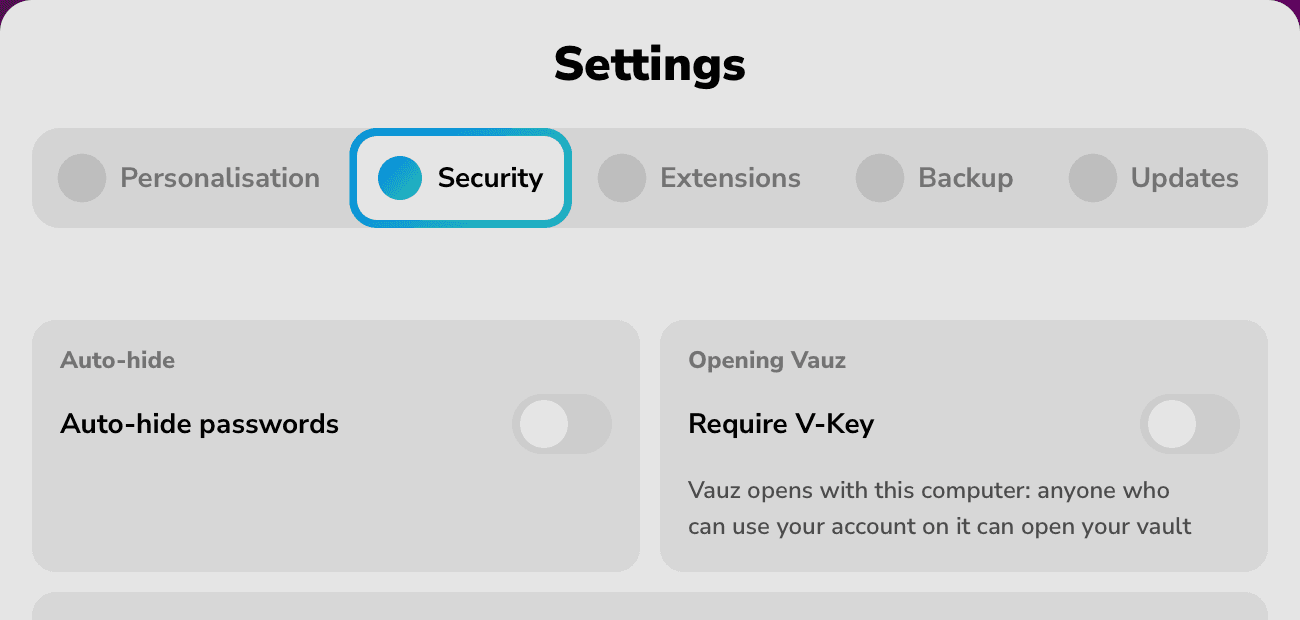
Open Settings, then Security
Settings is the gear in the top left of the Vauz window
Turn on Require V-Key
It's in the Opening Vauz card
Type your new V-Key
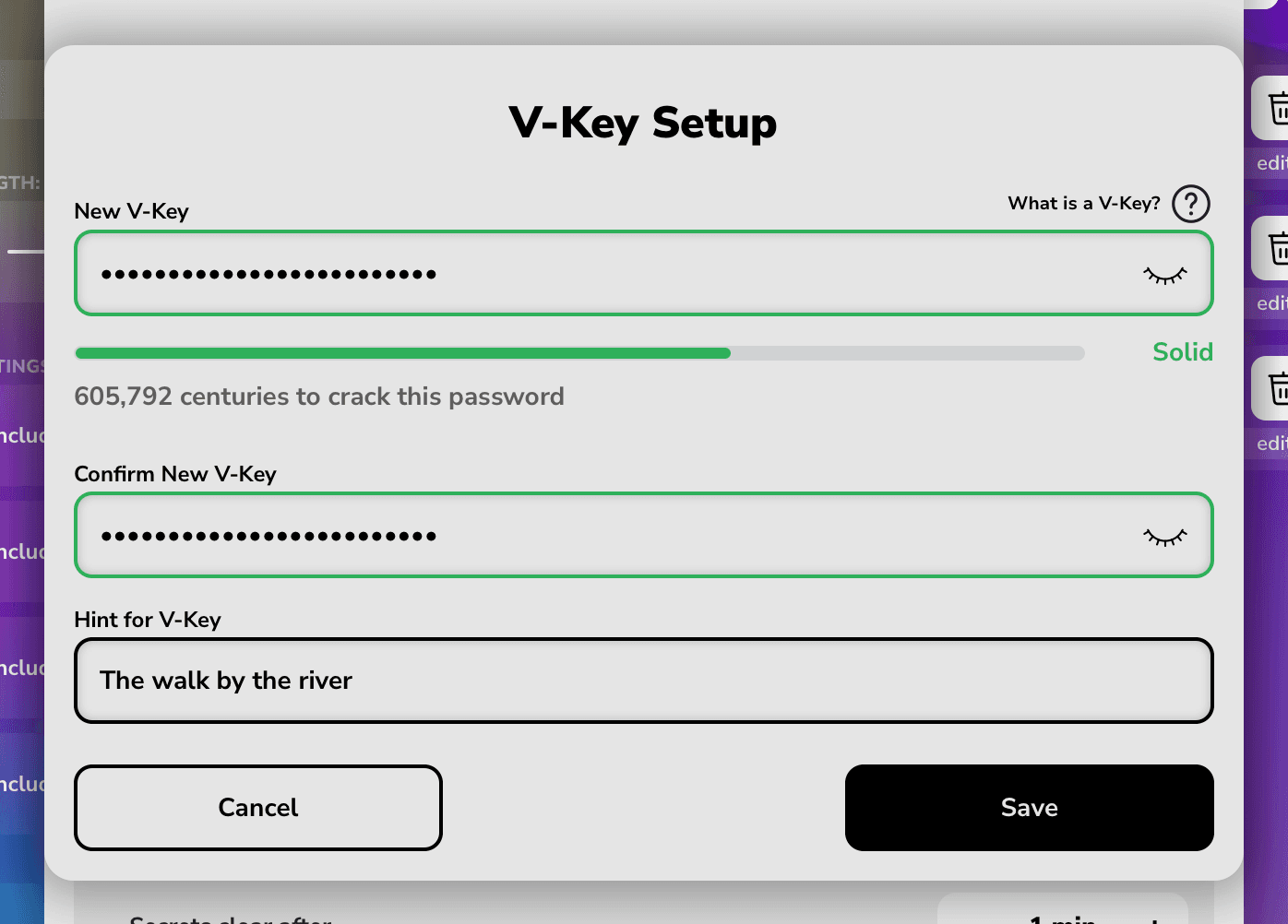
Type it under New V-Key. The meter under the field rates it, and Confirm New V-Key opens once the meter says at least Decent. The eye in the field shows what you typed
Type it again under Confirm New V-Key
You can't paste into this field, so you type it from memory. Its border turns green when the two match
Add a hint, if you like
Hint for V-Key is optional, and it can't be the same as your V-Key. Vauz offers the hint after a wrong V-Key, before Vauz is open, so anyone at your Mac can read it. Make it something that reminds only you
Choose Save
If Save doesn't go on yet, choosing it shows what's missing: the field that needs a stronger V-Key, or the one where you type it again
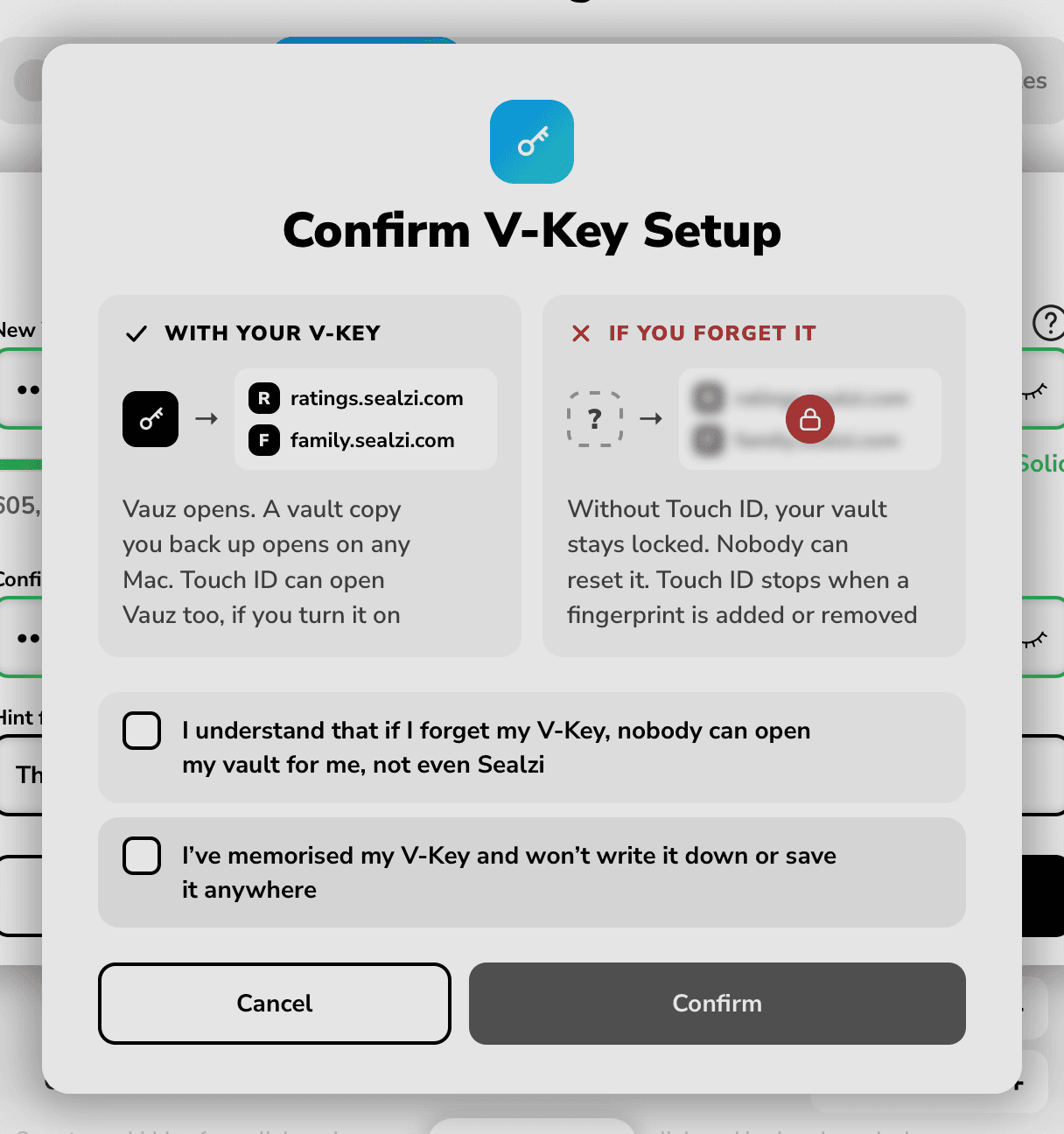
Read Confirm V-Key Setup, then tick both boxes
With your V-Key says what you keep, and If you forget it what happens if you forget it. Tick both boxes:
- I understand that if I forget my V-Key, nobody can open my vault for me, not even Sealzi
- I’ve memorised my V-Key and won’t write it down or save it anywhere
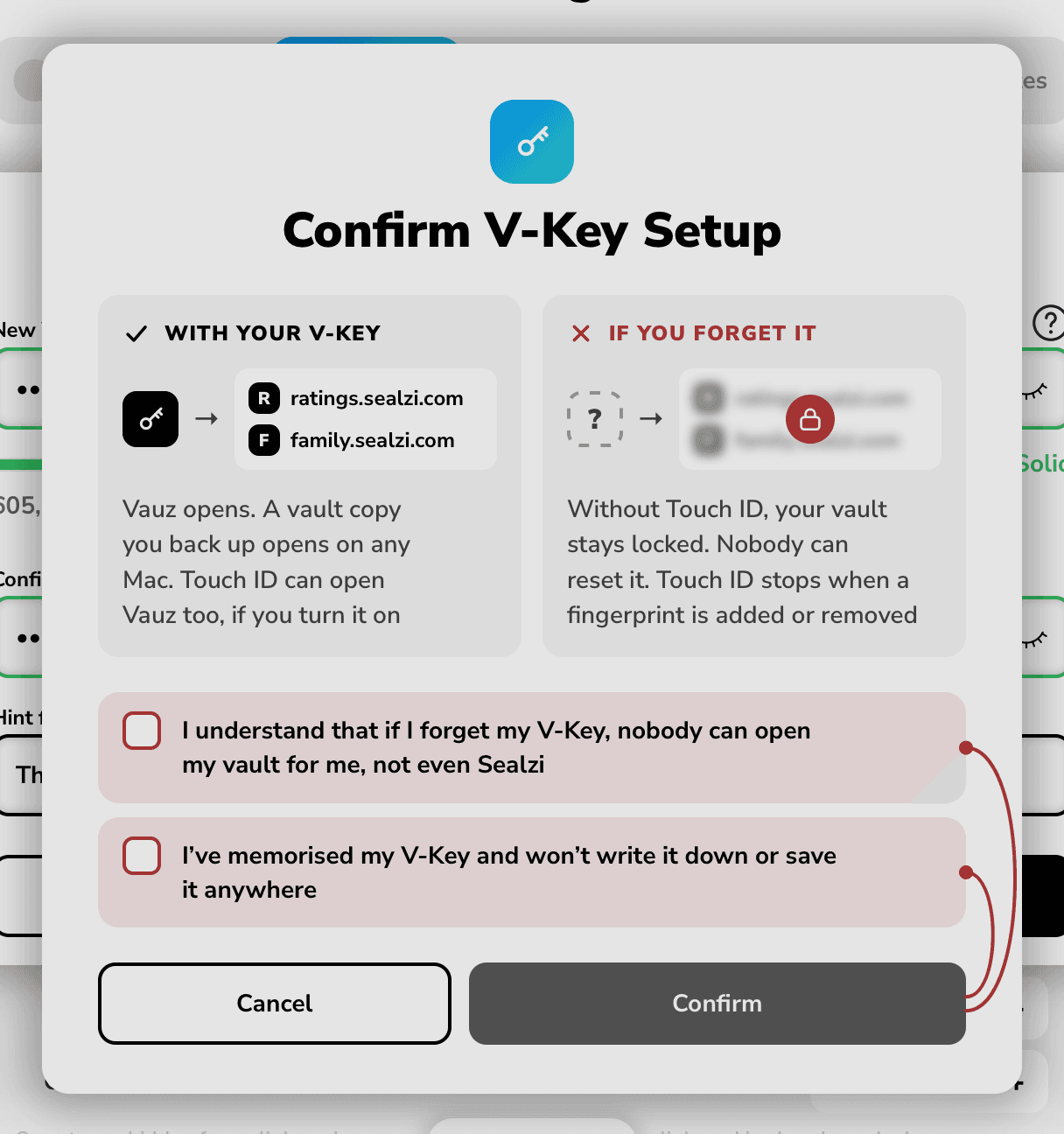
Confirm waits for both. If you choose it before that, Vauz draws a red line from it to each box left, and a screen reader says what's missing
Choose Confirm
Vauz says V-Key successfully set!, and Require V-Key is on. Under it, Settings says Vauz asks for your V-Key each time it opens
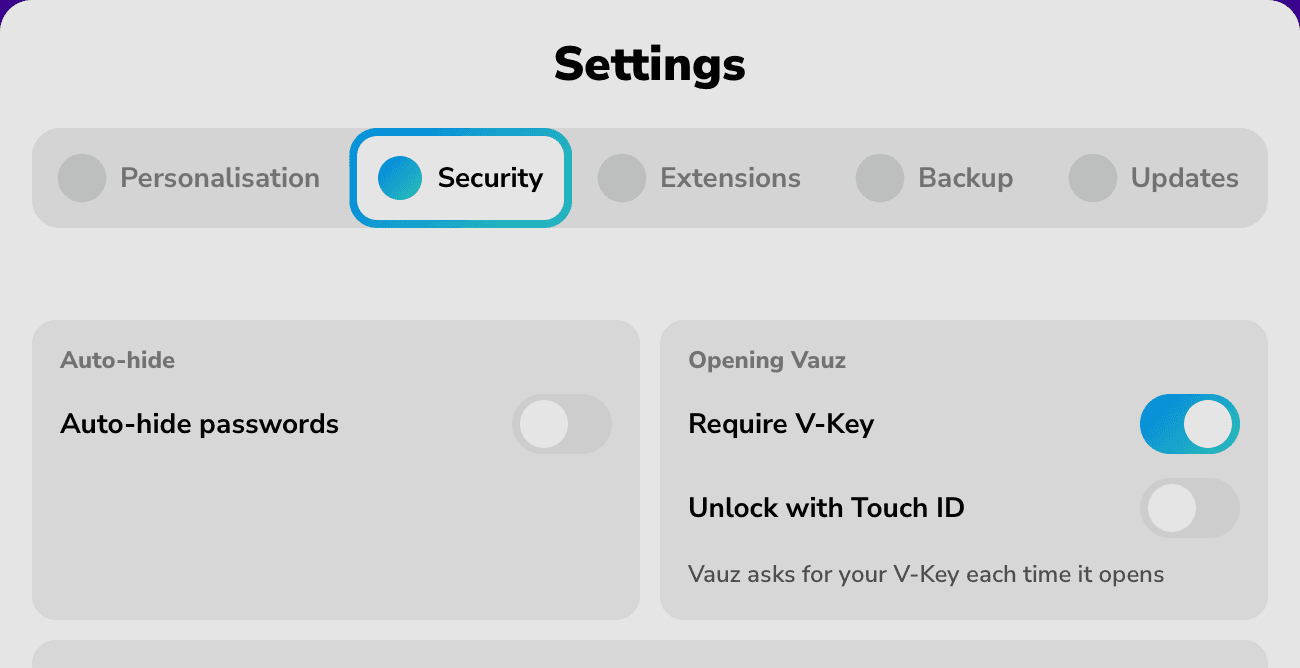
Touch ID beside your V-Key
On a Mac with Touch ID, Unlock with Touch ID appears under Require V-Key once your V-Key is set. Turn it on, and Vauz asks first, Unlock with Touch ID?, and says Touch ID opens Vauz without your V-Key. Choose Turn on Touch ID
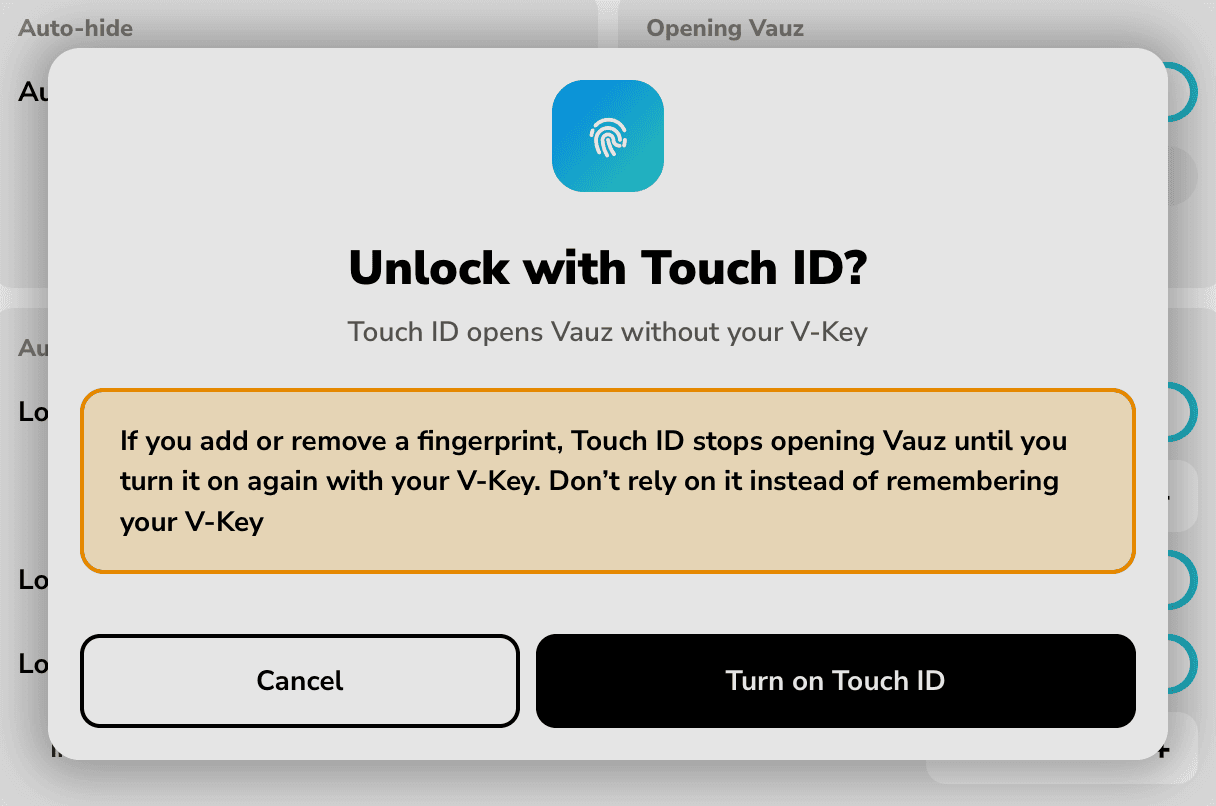
If you add or remove a fingerprint on your Mac, Touch ID stops opening Vauz until you turn it on again with your V-Key. Touch ID doesn't replace remembering your V-Key
If three days have passed since you last typed your V-Key, for example because Touch ID opens Vauz, Vauz asks Do you remember your V-Key? along the bottom of its window when it opens. Type it there, so you don't forget it
How your V-Key approves autofill
When Vauz Autofill asks for a site's logins:
- On a Mac with Touch ID, Vauz asks for your fingerprint. If Vauz is locked, Touch ID can open it only when Unlock with Touch ID is on. Otherwise Vauz asks for your V-Key
- On a Mac without Touch ID, Vauz asks for your V-Key in its own window, Vauz: show your logins for followed by the site. Type your V-Key and choose Show logins. If it's wrong, the window stays open and says That V-Key was wrong in red, so you can type it again
Without a V-Key, on a Mac with no Touch ID set up, Vauz can only ask Allow or Don't allow. That's the least protected way to approve a fill: it asks for nothing only you know, so anyone who can use your Mac can choose Allow. A V-Key, with Touch ID beside it, is safer. More in Autofill in the Vauz 2 beta
If you forget your V-Key
Nobody can reset it, not Vauz and not Sealzi. What you can do:
- Use your hint. After a wrong V-Key, choose Need your hint? to see the hint you set. It appears only if you set one
- Use Touch ID, while it still works. If Unlock with Touch ID is on, Touch ID still opens Vauz. Set a new V-Key straight away, as below
Without your V-Key or Touch ID, your vault stays locked. After several wrong V-Keys, Vauz says Too many tries and waits a while before you can try again
Change or remove your V-Key
Turn off Require V-Key
In Settings, then Security, Vauz asks Remove V-Key?
Enter your current V-Key and choose Remove V-Key
If Unlock with Touch ID is on, you can leave the field empty instead, and confirm with Touch ID
Vauz then opens with your Mac again, and Unlock with Touch ID turns off. To change your V-Key, remove it this way, then turn Require V-Key on again and set the new one
Vault copies you backed up keep the V-Key your vault had when each was made. To restore one, you'll need that V-Key
Related Articles
Something not working? Please contact Vauz support and tell us your Vauz version, your macOS version, and the exact words you see. Never send us your V-Key